Offline-first + Cloud
Work lightning-fast locally. Automatic background sync delivers changes to the server whenever connected.
Cloud Productivity Hub
Tasks, kanban, habits, finance, documents, team, and AI — all in one browser workspace. Built for individuals and teams with instant sync and flexible permissions.
Features
Planovik AI brings planning, focus, finance, and teamwork together. One account — single data ecosystem with familiar web UX.
Work lightning-fast locally. Automatic background sync delivers changes to the server whenever connected.
Separate personal space and team projects with Owner, Admin, Member, and Guest roles.
Work seamlessly across web browsers and mobile devices. Tasks, habits, and data sync instantly across all devices.
Search, create, complete, or duplicate tasks and switch modules 1–9 instantly without touching the mouse.
Modules
Every module is engineered for maximum speed. Switch between task list, kanban board, habits, and budget in a single click.
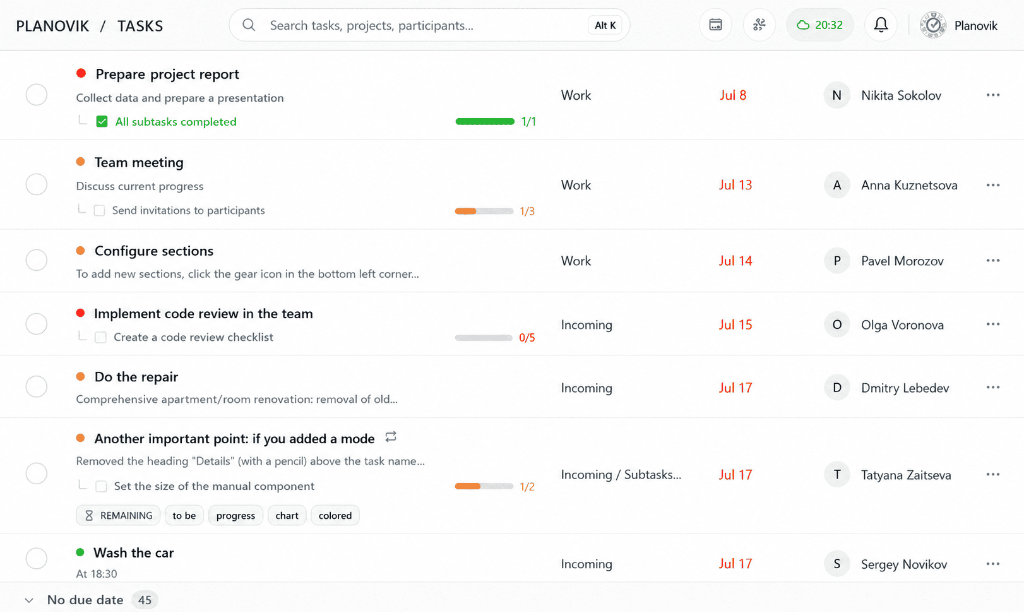
Lists, subtasks, priorities, tags, calendar, Gantt chart, and Eisenhower matrix. Batch actions and keyboard shortcuts.
Module documentation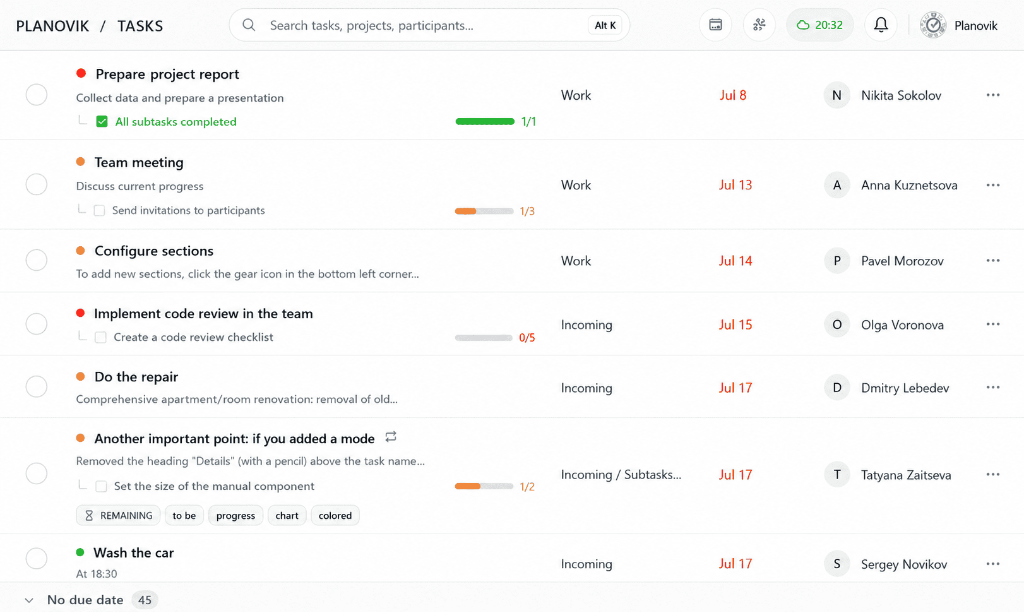
Interactive kanban board for project visualization. Custom stages, drag-and-drop task movement, and real-time progress tracking.
Module documentation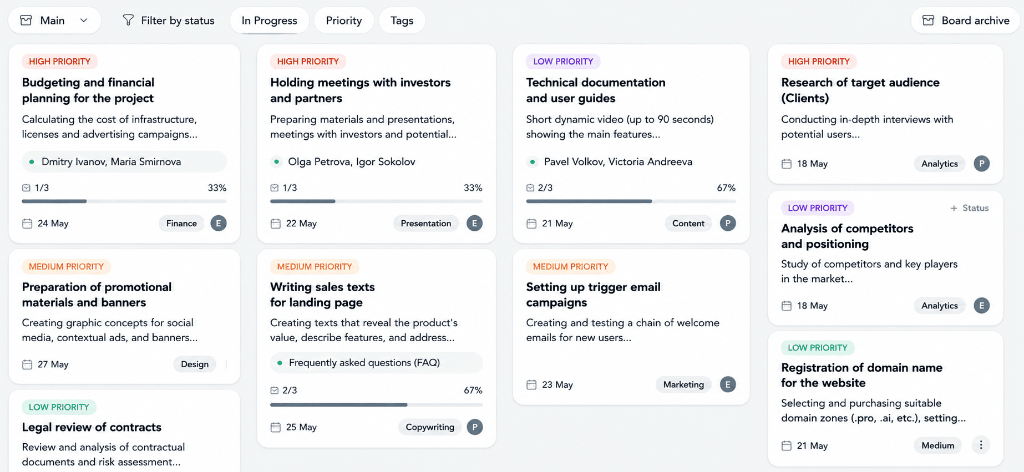
Enforce process policies for Kanban: required checklists, mandatory reviewer assignment, completion evidence, and task watchers.
Module documentation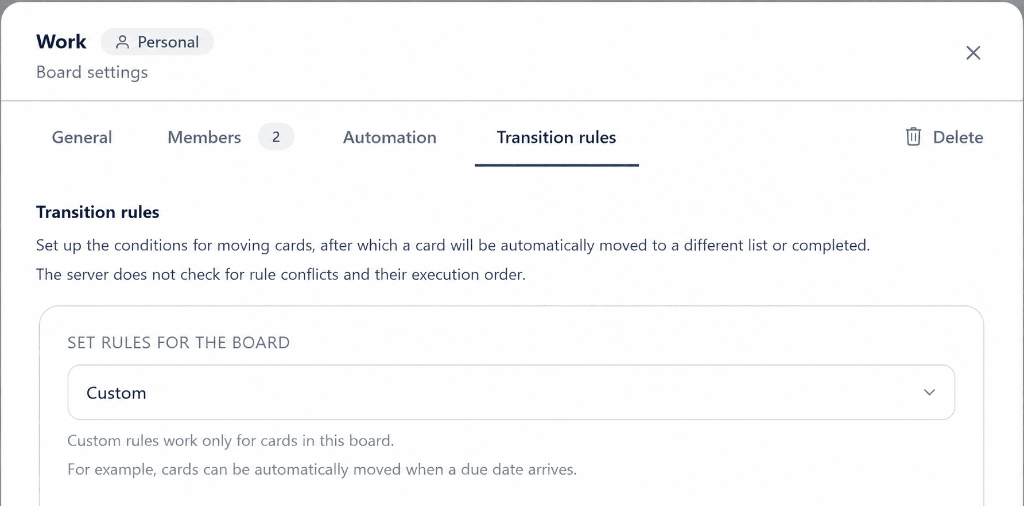
No-code rule engine: automatic assignee routing, due date shifts, tag-based column movement, and review handoffs.
Module documentation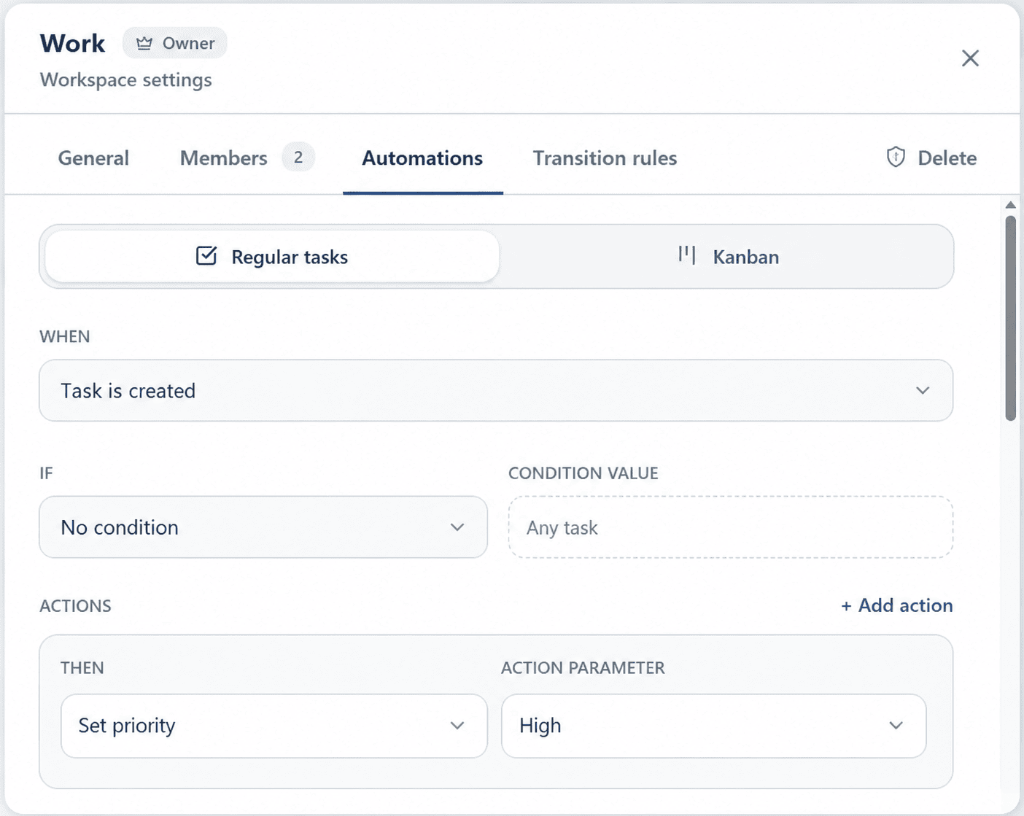
Binary and quantitative habits, lists, streaks, reminders, day/week/month views, and stats.
Module documentation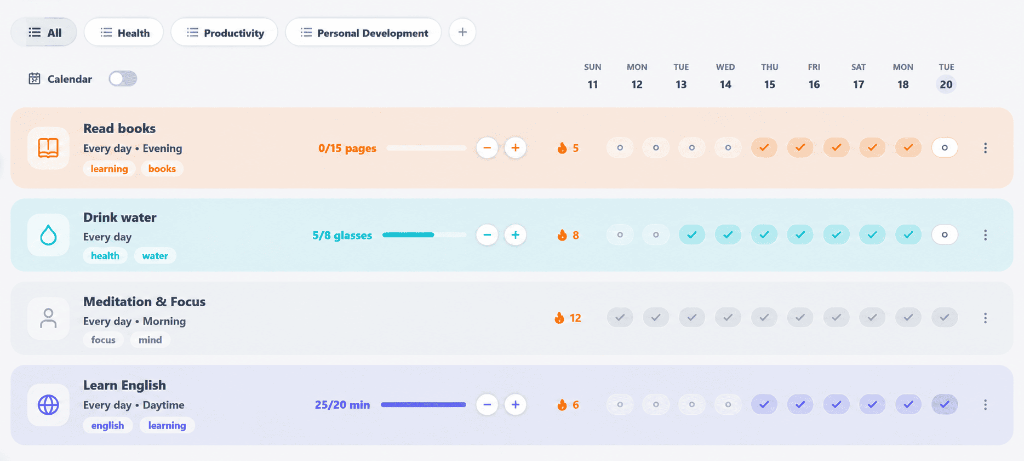
Transactions, categories, budget limits, dashboard widgets, cash flow, and period analytics.
Module documentation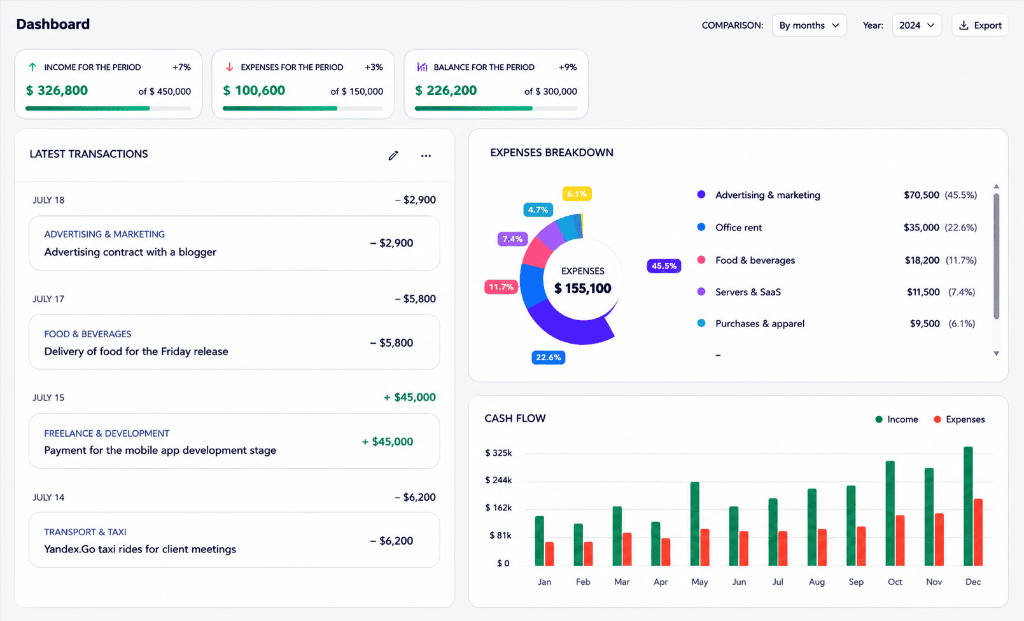
Knowledge base: page tree, visual and Markdown editor, attachments, full-text search, and document-to-task linking.
Module documentation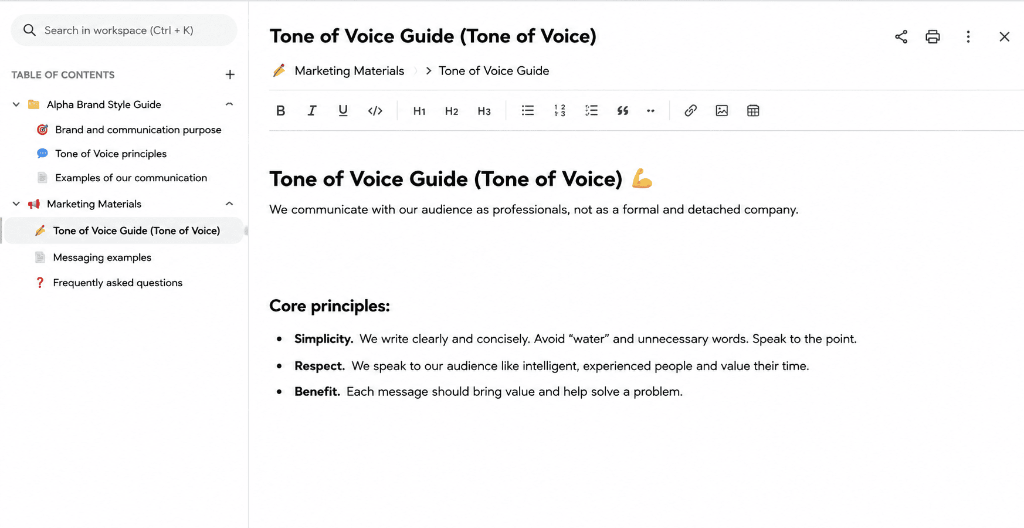
Workspaces, roles, invites, assignees, comments with @mentions, and granular edit permissions.
Module documentation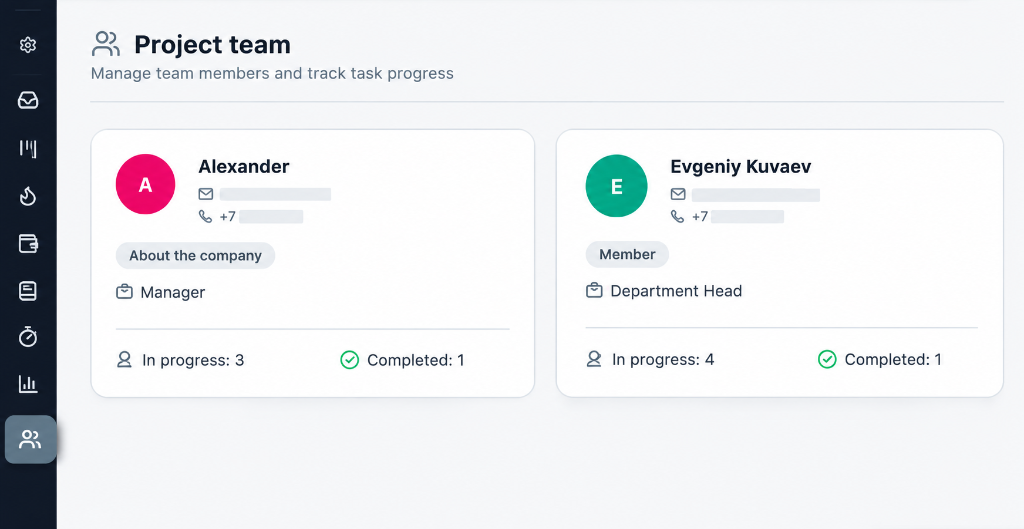
Command center and panel with tool-calling for tasks, kanban, finance, and docs — actions require confirmation. BYOK and multiple providers.
Module documentation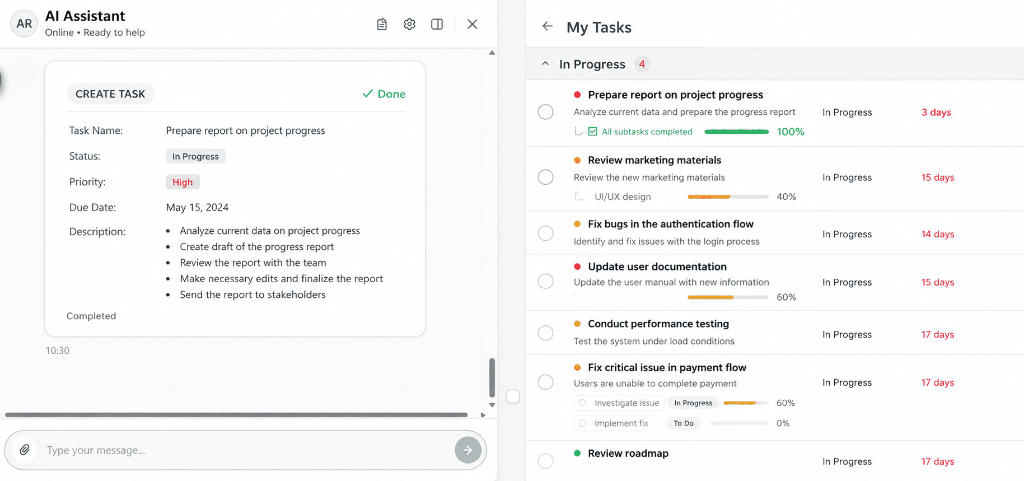
For Teams
Organize projects, assign team members, and discuss right inside task cards. Keep personal and team workspaces completely isolated.
Separate personal to-dos and team projects. Members only access assigned workspaces with zero data leak risk.
Comments with @mentions, smart thread notifications, and full activity audit logs inside every task.
Flexible editing policies: restrict edits to authors and admins or open collaboration to the whole team.
Role Structure
Create an account, set up your workspace, and unite tasks, habits, and team without switching between dozens of apps.